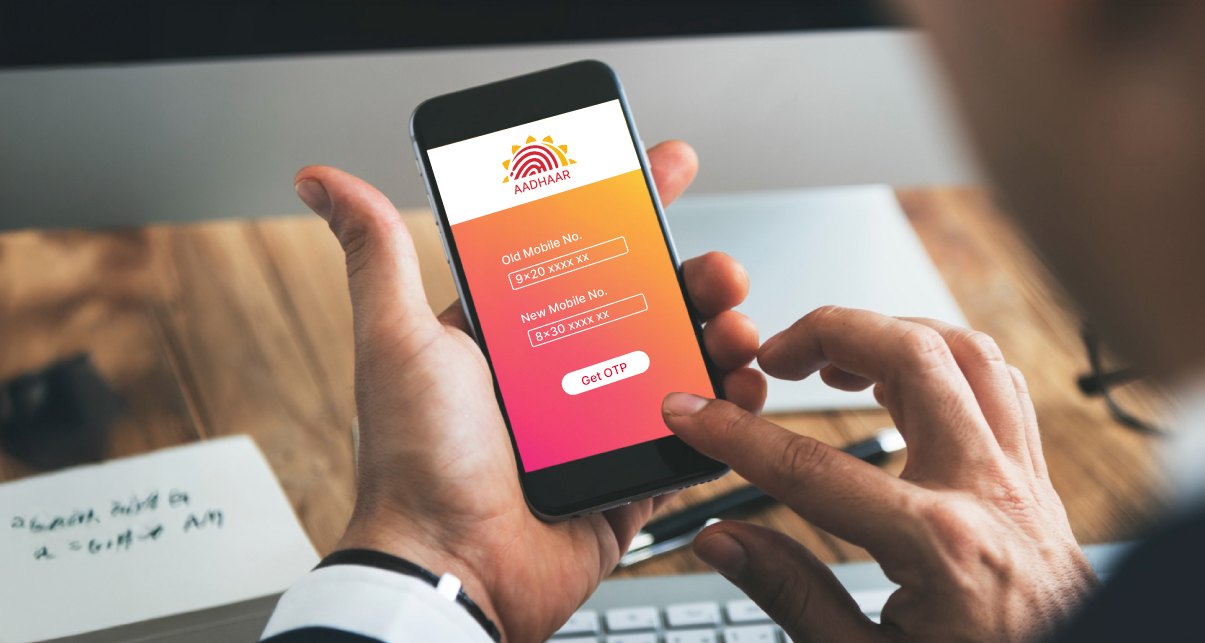

90% of Aadhaar-related transactions fail without a verified mobile number. Is your business losing conversions to such Aadhaar OTP failures? Outdated linkages = failed KYC, delayed onboarding, and audit risks.
Mobile number discrepancies are an open invitation for fraudsters. Therefore, updating your mobile number in Aadhaar is critical for securing transactions and online services. Don’t let outdated details cripple your enterprise.
Melento (Formerly SignDesk), India’s trusted digital documentation leader, streamlines Aadhaar-linked services like eKYC, eSign, and eMandates. Melento (Formerly SignDesk) helps enterprises stay secure and Aadhaar-compliant. This blog provides a step-by-step guide to updating your Aadhaar mobile number in 2025.
Quick Steps – How to Update Aadhaar Mobile Number
Scenario 1: Registering Mobile Number During Aadhaar Enrollment
- At the time of Aadhaar application, you can provide your mobile number.
- It gets auto-linked to your Aadhaar card record.
- No further action is needed unless you switch your number later.
✅ Aadhaar-linked mobile is essential for OTP-based services like eSign, eKYC, and digital onboarding workflows.
Scenario 2: Linking a Mobile Number After You Get an Aadhaar Card
If you have not linked your mobile during Aadhaar enrollment, here’s what to do:
You cannot update your number online if it’s not linked already.
Option 1: Visit an Aadhaar Seva Kendra Mobile Update Center
→ Carry your Aadhaar card.
→ Fill the Aadhaar Update Form and request mobile linking.
→ Biometric authentication is done in person.
Option 2: Send a Request via Post
→ Download & fill the Aadhaar Update Form<.
→ Attach identity/address proof.
→ Post it to either:
- UIDAI Post Box No. 10, Chhindwara, MP – 480001
- UIDAI Post Box No. 99, Banjara Hills, Hyderabad – 500034
Scenario 3: Updating New Mobile Number (Online/Offline)
If you already have a number linked, updating to a new one is simpler.
Online Method:
- Log in tothe UIDAI website and go to the UIDAI Self-Service Update Portal.
- Enter Aadhaar number & OTP.
- Upload supporting documents of address and identity if required.
- Enter your new mobile number.
- Submit a request.
- Receive a URN (Update Request Number) for tracking.
Offline Options:
- Visit Aadhaar Seva Kendra for mobile update and submit the request in person.
- Alternatively, you can send the update form via post as explained above.
At a Glance: Update Methods Comparison
|
Scenario |
Can Update Online? |
OTP Required? |
Offline Option Available? |
|
Enrolling for Aadhaar (fresh) |
N/A |
No |
Yes (during enrolment) |
|
Linking first-time number post-Aadhaar |
❌ |
N/A |
✅Aadhaar Center or Post |
|
Updating to the new number (already linked) |
✅ |
Yes |
✅Center or Post |
Why Keeping Your Aadhaar-Linked Mobile Number Updated is Business-Critical
For businesses relying on Aadhaar-based verification, an outdated mobile number is a severe operational bottleneck.
Foundation for Digital Authentication
Your Aadhaar-linked mobile number enables OTP-based verification, which is essential for:
- eSignatures on contracts and applications
- eKYC for instant digital onboarding
- Real-time identity authentication across platforms
⚠️ Without it, digital transactions won’t work. This results in drop-offs, delayed TATs, and lost conversions.
Compliance Mandate for BFSI & Government Services
An outdated mobile number means missed OTPs — and missed opportunities. It’s now mandatory for:
- Opening and operating bank accounts
- Filing and verifying ITRs
- Accessing subsidies, pensions, and insurance benefits
⚠️ An invalid number can trigger regulatory red flags during audits. Mandatory for C-KYC and risk profiling.
Access to Critical National Infrastructure
Aadhaar-linked mobile number authentication powers:
- DigiLocker access for document verification
- PAN-Aadhaar linking to stay compliant with tax laws
- eMandate approvals for recurring payments and autopay setups
⚠️ Digital journeys are powered by Aadhaar. eSigning, digital stamping, and mandate setups — all depend on mobile-linked OTPs.
Melento (Formerly SignDesk) & Aadhaar – Seamless Digital Identity Workflows That Drive Business Outcomes
Melento (Formerly SignDesk)’s digital transformation tools rely on Aadhaar-linked mobile for real-time authentication. Melento (Formerly SignDesk) empowers enterprises to build secure, Aadhaar-authenticated workflows across eSign, eKYC, and digital onboarding.
Aadhaar-Based eSign: Contracts Signed in Minutes, Not Days
Melento (Formerly SignDesk) eSign uses Aadhaar OTP-based digital signatures to execute contracts that are:
✅ Legally valid under the IT Act, 2000
✅ Executed instantly with UIDAI verification
✅ Seamlessly integrated into enterprise CRMs & workflows
|
How Axis Securities Achieved 100% Aadhaar-based Workflows Using Melento (Formerly SignDesk) Faced with delays caused by manual signatures, Axis Securities adopted Melento (Formerly SignDesk) eSign to digitize documentation across its teams.
|
Aadhaar eKYC – Paperless Customer Onboarding Across Sectors
Melento (Formerly SignDesk)’s Aadhaar-based eKYC ensures:
✅ Instant, paperless onboarding using OTP or XML
✅ Regulatory compliance across BFSI, telecom & insurance
✅ Cost-efficient verification at massive scale
|
Fyers Growth Engine: How Fyers Reduced Turnaround Time and Boosted Satisfaction Fyers faced operational challenges managing high transaction volumes via manual processes.
|
Aadhaar XML Parsing & API Integrations – Built for Enterprise Scale
Our secure APIs allow businesses to:
✅ Parse Aadhaar XML for verified demographics
✅ Auto-fill forms, map workflows, and eliminate manual data errors
✅ Ensure consistent data across customer-facing systems
|
“Integrating with Melento (Formerly SignDesk)’s document automation has further digitized our loan disbursement process for our customers, who can now e-sign at their convenience, at any time of the day. Melento (Formerly SignDesk) has decreased our turnaround time for closing by enhancing critical steps of the process.” – Thiru R, Chief Operating Officer, Kinara Capital |
100% UIDAI-Compliant & Legally Defensible Workflows
All Aadhaar-based workflows on Melento (Formerly SignDesk) are:
- Powered by UIDAI-approved APIs
- Aligned with the Information Technology Act, 2000
- Deployed on ISO 27001 & SOC2-certified systems
- Designed with data minimization and consent-first architecture
|
Trusted by banks and enterprises, Melento (Formerly SignDesk) Aadhaar-based workflows are legally valid and compliant with over 8 global certifications. |
How to Track Aadhaar Mobile Update Status
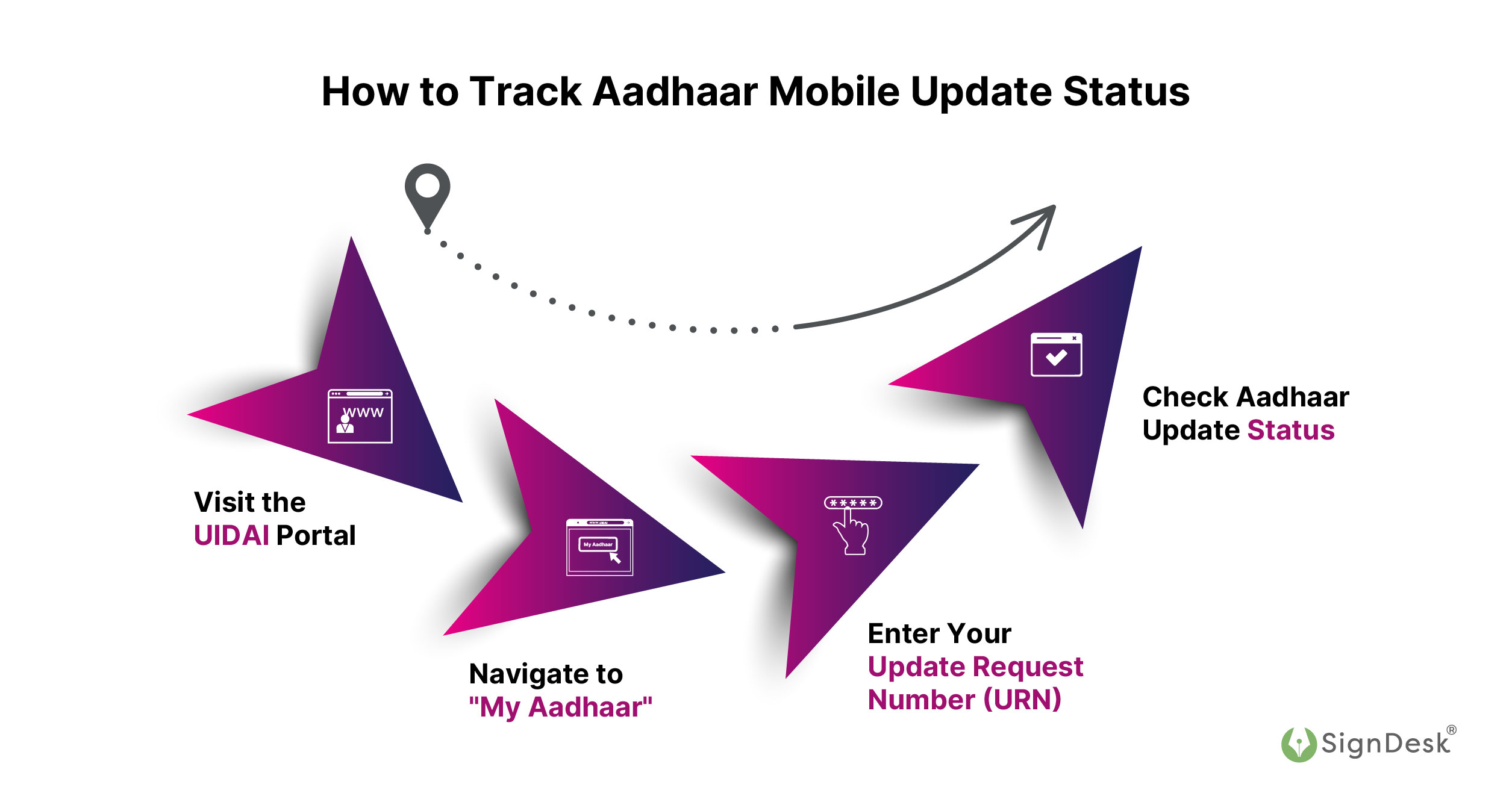
Once you’ve submitted a request to update your mobile number in Aadhaar—whether online, via post, or through an Aadhaar enrollment center—it’s essential to track its progress. Here’s how you can do it:
- Visit the UIDAI Portal
- Navigate to “My Aadhaar”
- Enter Your Update Request Number (URN)
- Check Aadhaar Update Status
After entering the URN, you’ll see one of the following statuses:
- Pending – Your update request is under process.
- Successful – Your new mobile number is now linked to Aadhaar.
- Action Required – Additional documentation or re-verification may be needed.
Enterprises using Melento (Formerly SignDesk) for Aadhaar-based eKYC or eSign solutions are automatically alerted when Aadhaar-linked numbers fail OTP verification. It enables proactive resolution and secure user journeys.
Key Aadhaar Update Deadlines & Fee Details (June 2025)
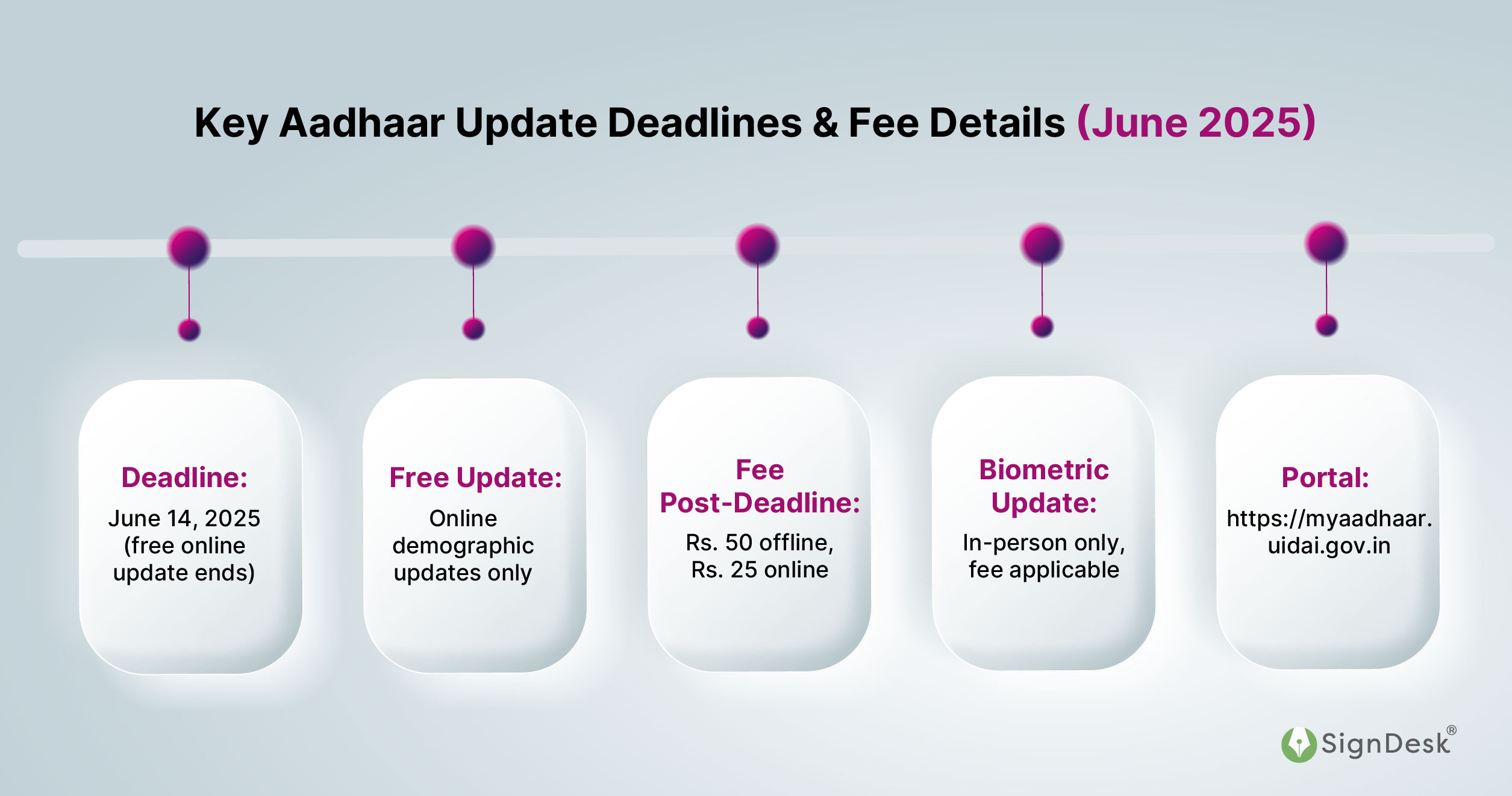
- Deadline: June 14, 2025 (free online update ends)
- Free Update: Online demographic updates only
- Fee Post-Deadline: Rs. 50 offline, Rs. 25 online
- Biometric Update: In-person only, fee applicable
- Portal: https://myaadhaar.uidai.gov.in
Minor Update, Big Impact – Build Smart Aadhaar-Linked Workflows with Melento (Formerly SignDesk)
Boost your business with Melento (Formerly SignDesk)’s secure and straightforward Aadhaar-based solutions. Whether it’s streamlining processes with Aadhaar esign, ensuring compliance through Udyog Aadhaar verification API, optimizing Aadhaar masking, or enhancing security with Aadhaar verification, Melento (Formerly SignDesk) is here to make your operations efficient.
If you haven’t linked your Aadhaar to your mobile number yet, or if you need to update it with a new number, it is prudent to do so as soon as possible.
Link your mobile number to Aadhaar now to start Aadhaar-based operations with Melento (Formerly SignDesk).